Host Your Own Coding Agents with OpenHands using NVIDIA DGX Spark
Written by
Graham Neubig, Xingyao Wang
Published on
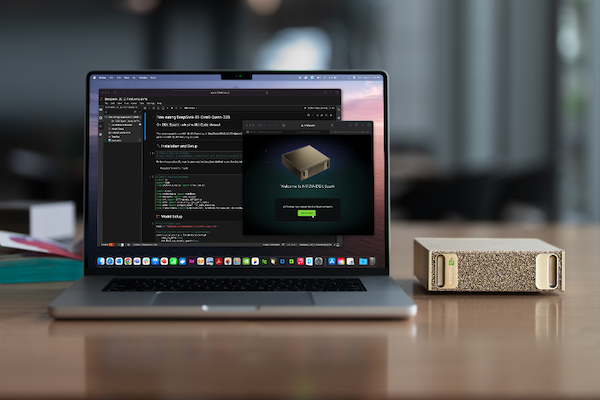
Today we're happy to announce that OpenHands is collaborating with NVIDIA to develop entirely local coding agents, on the NVIDIA DGX™ Spark. The DGX Spark is powered by the NVIDIA GB10 Grace Blackwell Superchip, making it power-efficient to run models and strong coding agents entirely locally on consumer hardware.
Why Self-Host?
When using coding agents, us and others often use powerful but closed API-based models like Claude and GPT. While these models are effective, there are many reasons why you might want to use OpenModels and host them yourself as well.
-
Cost: API-based models can be expensive, especially if you are using them heavily. Hosting your own models can be more cost-effective in the long run.
-
Privacy: If you are working with sensitive data, you may not want to send it to a third-party API. Hosting your own models allows you to keep your data private.
-
Customization: Hosting your own models allows you to customize them to your specific needs. You can fine-tune them on your own data, or even train your own models from scratch.
-
Freedom: Hosting your own models gives you more control over how they are used. You can choose which models to use, how to deploy them, and how to integrate them into your workflow.
Setting Up the DGX Spark
One of the nice things about the DGX Spark is that it comes pre-installed with most of the necessary tools to get started with local hosting of models.
The only real additional requirement over the already pre-installed software is to ensure that the NVIDIA Container Toolkit (nvidia-docker) is installed. This toolkit enables Docker containers to access NVIDIA GPUs, which is essential for running GPU-accelerated applications like language models. To install this, follow the official NVIDIA installation guide to set up the Container Toolkit:
Hosting a Coding Language Model
If you're going to work with coding agents, you'll need a language model that is good at coding tasks, and particularly one that can work with the OpenHands framework. We have a list of open and closed models that work well with OpenHands in our
To host the model we'll use NVIDIA-supported docker image for vLLM.
docker run --gpus all --ipc=host --ulimit memlock=-1 \
    -v ~/.cache/huggingface:/root/.cache/huggingface \
    -p 8000:8000 \
    --ulimit stack=67108864 -it nvcr.io/nvidia/vllm:25.09-py3 \
    vllm serve "Qwen/Qwen3-Coder-30B-A3B-Instruct" --api-key xw-dev --enable-auto-tool-choice --tool-call-parser qwen3_coder
This will start a server on port 8000 that serves the model, and you can test it out by sending a request to it:
curl -X POST "http://localhost:8000/v1/chat/completions" \
    -H "Content-Type: application/json" \
    -H "Authorization: Bearer xw-dev" \
    -d '{
        "model": "Qwen/Qwen3-Coder-30B-A3B-Instruct",
        "messages": [{"role": "user", "content": "Write a python function that adds two numbers"}]
    }'
Running OpenHands on the DGX Spark
Next, let's run OpenHands directly on the DGX Spark. To run OpenHands on a server, the most convenient way to do so is to use the
To run the OpenHands CLI, we just run the following command:
uvx --python 3.12 --from openhands-ai openhands
Then, we can go through the initial settings, importantly setting up OpenHands to use the local model we set up above. To do so, we'll use the
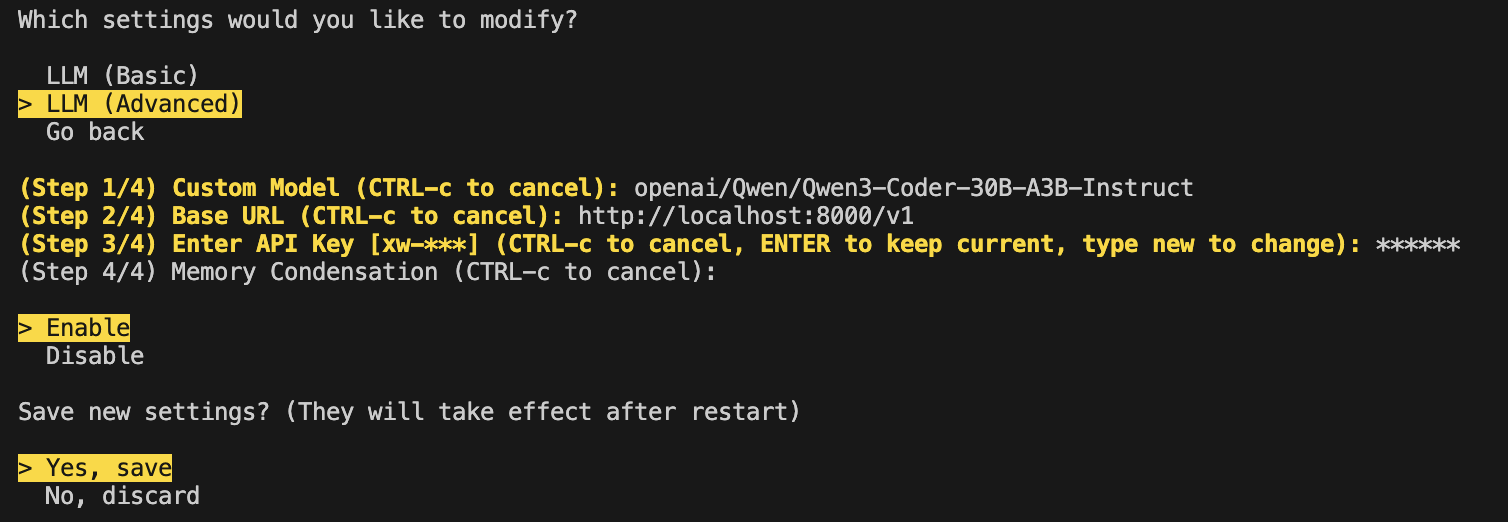
Then we provide a prompt and watch the CLI work, here's a simple example!
Connecting OpenHands Cloud with the NVIDIA DGX-hosted Model
The CLI is great, but there are some other nice ways to interact with OpenHands, available on the OpenHands Cloud.
-
Web Interface: A web-based GUI for interacting with coding agents.
-
Slack Integration: Use OpenHands directly from Slack by sending a message to
@openhands. -
GitHub Integration: Use OpenHands within GitHub to manage issues and pull requests by commenting
@openhands.
For subscribers, the OpenHands Cloud allows you to bring your own key (BYOK) for the model you want to use, which also includes accessing the model that you hosted on your DGX Spark. To connect to the OpenHands cloud, you should first make sure that you have made the IP of your Spark accessible from the internet, and then you can go to the
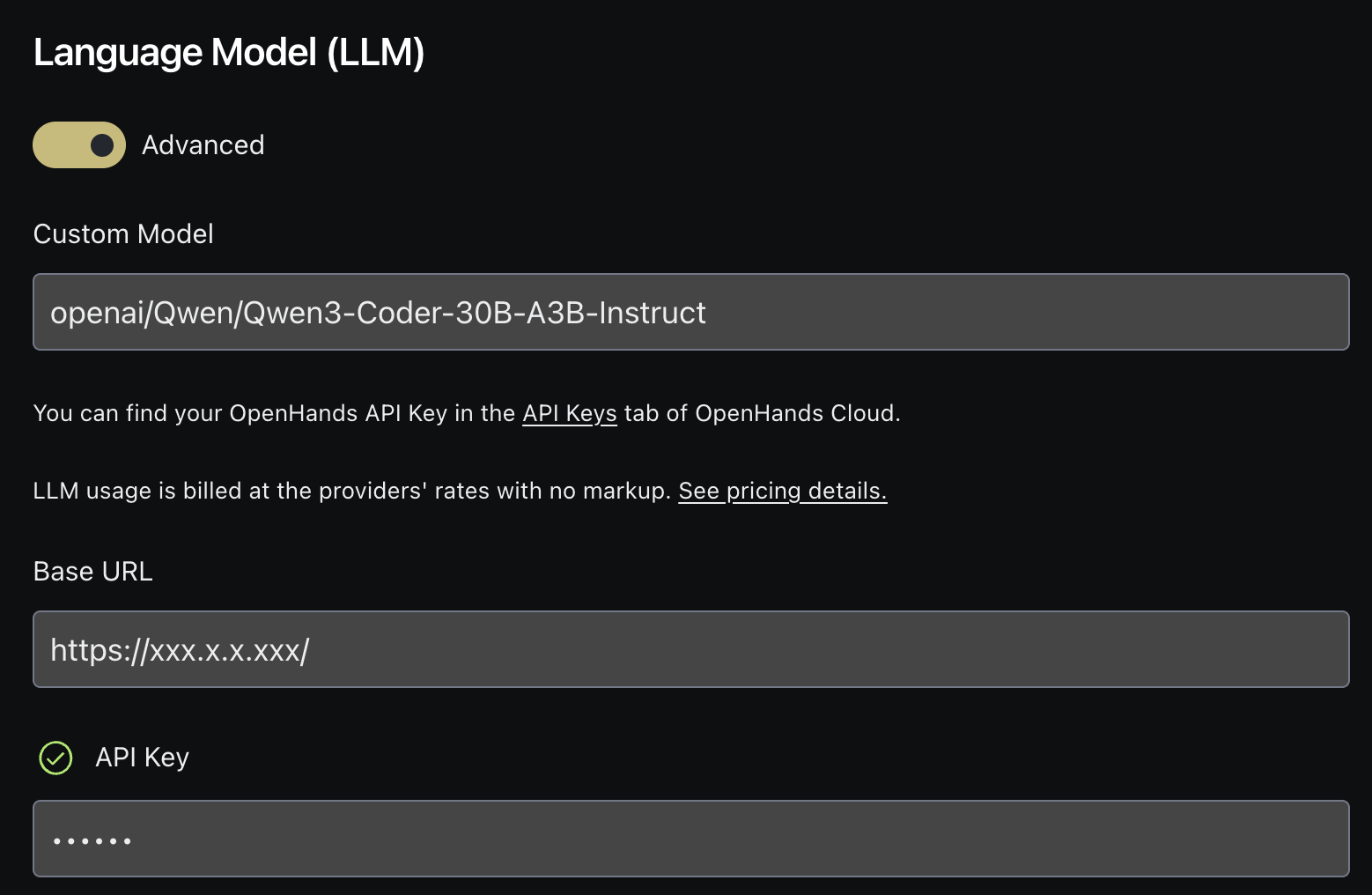
OK, now let's try it out! I'll launch a conversation through Slack and ask it to cook up a feature for me.
Conclusion
Overall, it was great fun getting an early system to play with the DGX Spark, it's a great little machine and there's nothing quite like a coding agents hosted directly on your own hardware. This means you can run through the CLI, GUI, Slack, Github, or API, while keeping the tokens affordable and your data private. Going forward, at OpenHands we're looking to develop even more powerful local models and methods for you to adapt on your own data using this hardware, so stay tuned!
for more information. And thanks again to NVIDIA for letting us preview it!



Get useful insights in our blog
Insights and updates from the OpenHands team
Sign up for our newsletter for updates, events, and community insights.
OpenHands is the foundation for secure, transparent, model-agnostic coding agents - empowering every software team to build faster with full control.



