OpenHands Meets Slack: AI-Powered Development in Your Workspace
Written by
Rohit Malhotra, Tim O'Farrell
Published on
As AI agents like OpenHands incorporate more and more into software development, we expect that developers will want to interact with AI in the same places where they interact with other co-workers. And today, much of that interaction happens in Slack. Today we're excited to announce the beta release of OpenHands Slack integration, bringing AI-powered software development directly into your Slack workspace.
How It Works
Start conversations instantly: Simply mention @openhands in any Slack channel to activate your AI development assistant. Specify which repository you want to work with using natural language -- OpenHands supports both simple repo names ("my-repo") and full GitHub paths ("All-Hands-AI/OpenHands").
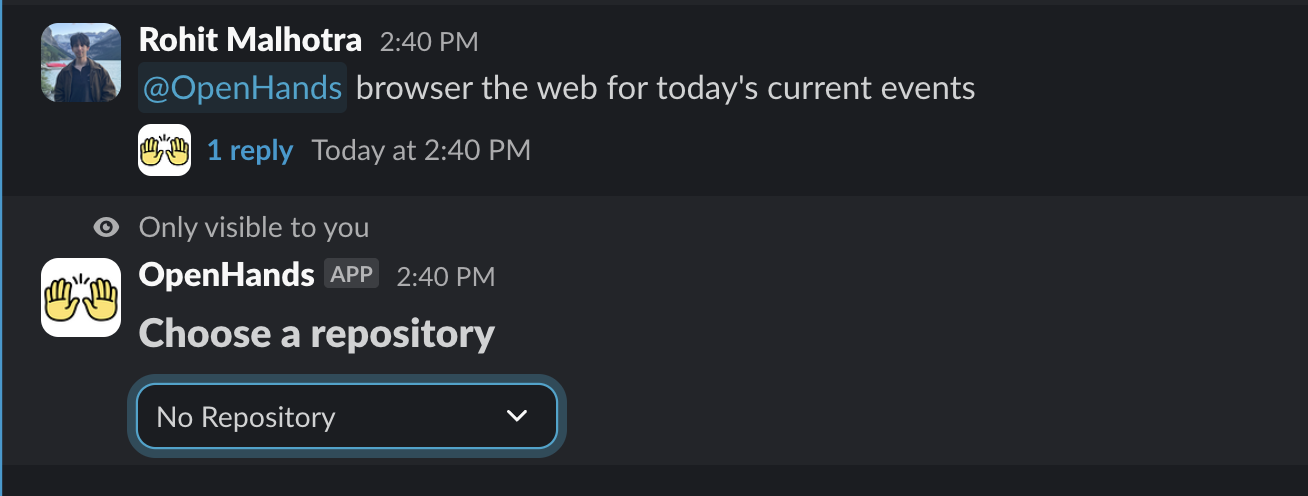
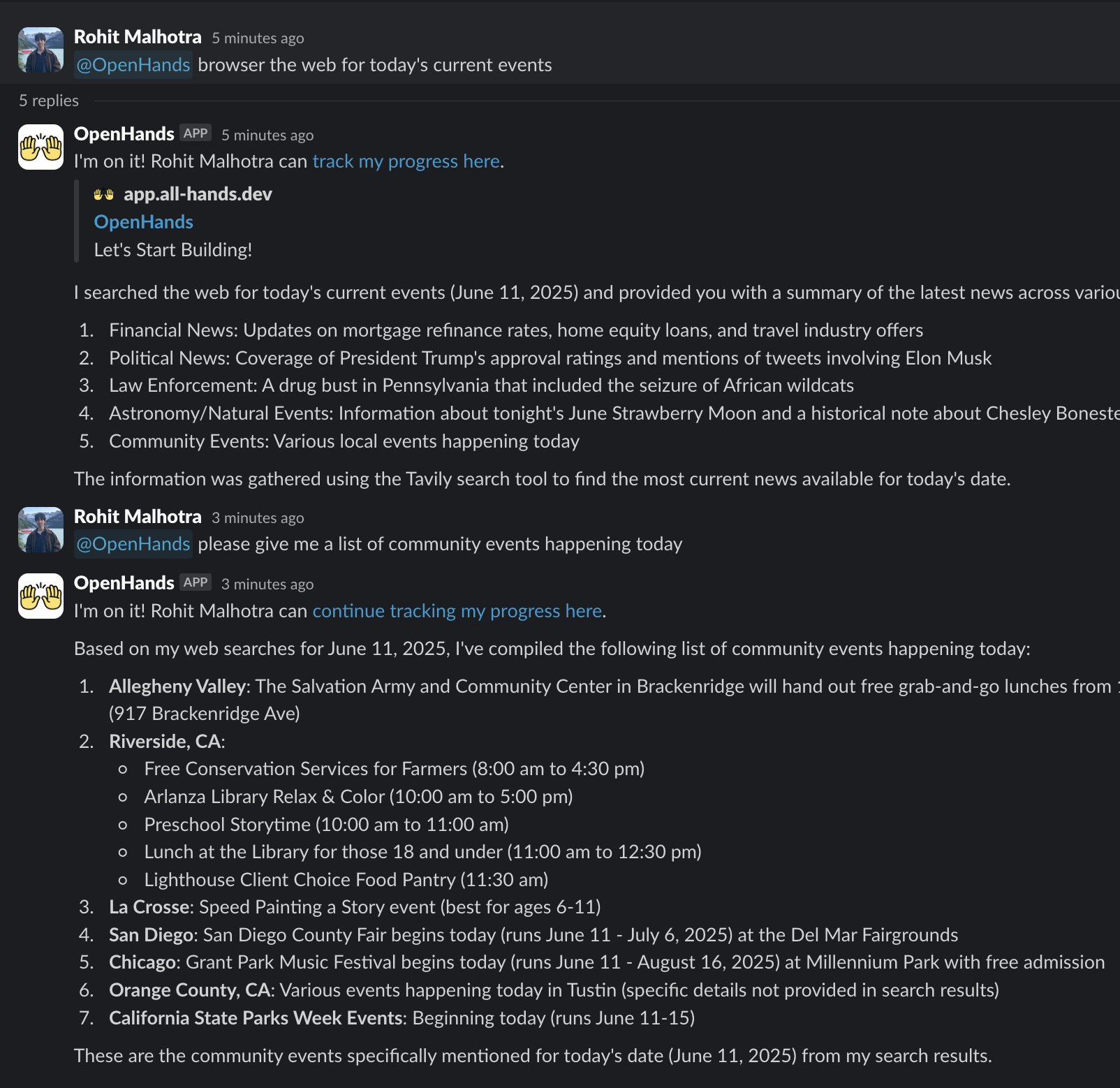
Continue in organized threads: Follow up by mentioning @openhands in thread replies, keeping discussions focused while allowing your entire team to follow the AI's assistance and contribute their expertise.
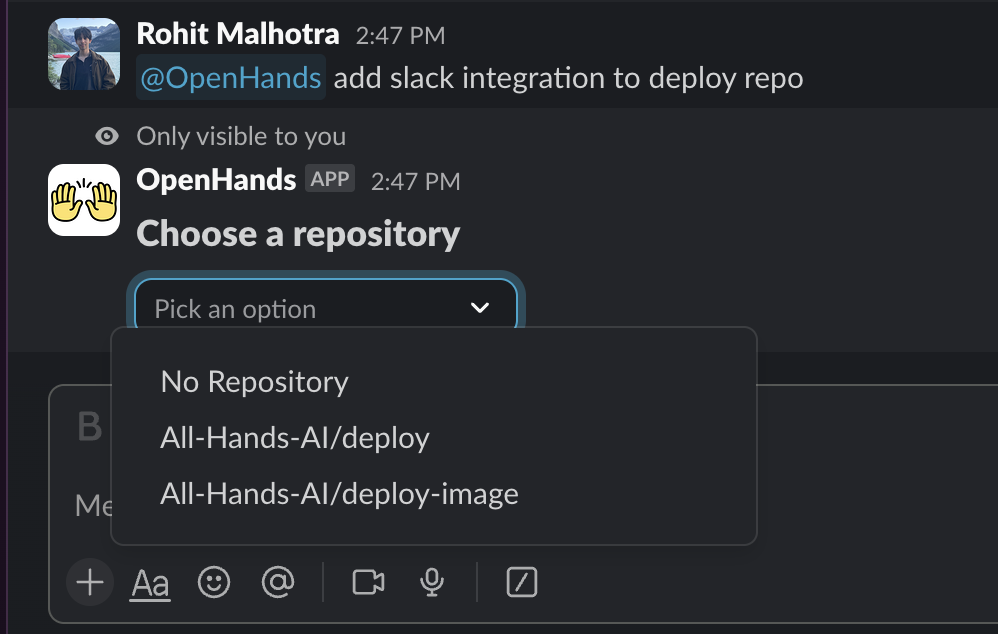
Smart repository matching: When your repo name matches multiple repositories, OpenHands prompts you to select from a filtered list, ensuring you're always working with the right codebase.
Getting Started
Setting up OpenHands in your Slack workspace requires two simple steps:
For Slack Admins: Install the OpenHands Slack App to your workspace and review the permissions.
For Team Members: Sign in to the OpenHands Cloud then visit your OpenHands Cloud integrations settings, click "Install Slack App," and authorize the integration.
Note: Depending on your workspace settings, you may need admin approval for the authorization step.
Some Starting Prompts
Once you have it installed, here are some great ways to get started:
Creating Issues: When you are in a discussion about a new feature, you can mention @openhands create an issue for this using the Github API and it will create an issue in the repository you are working in.
Asking Questions: If you're uncertain about how a particular feature works, you can mention @openhands how is this functionality implemented? and it will provide a detailed explanation of the code.
Adding Features: If you're discussing a new feature, you can mention @openhands add this feature and it will create a PR to add the feature.
One other thing that we've found convenient was to create a channel #openhands-slack and have it be a place where you can send random queries to avoid cluttering up other channels.
We Welcome Feedback
This is a new release, so we're eager to hear your feedback. Share your experience and suggestions on Slack (of course!), Discord, or GitHub Issues.


Get useful insights in our blog
Insights and updates from the OpenHands team
Sign up for our newsletter for updates, events, and community insights.
OpenHands is the foundation for secure, transparent, model-agnostic coding agents - empowering every software team to build faster with full control.



