The OpenHands CLI: AI-Powered Development in Your Terminal
Written by
Graham Neubig
Published on
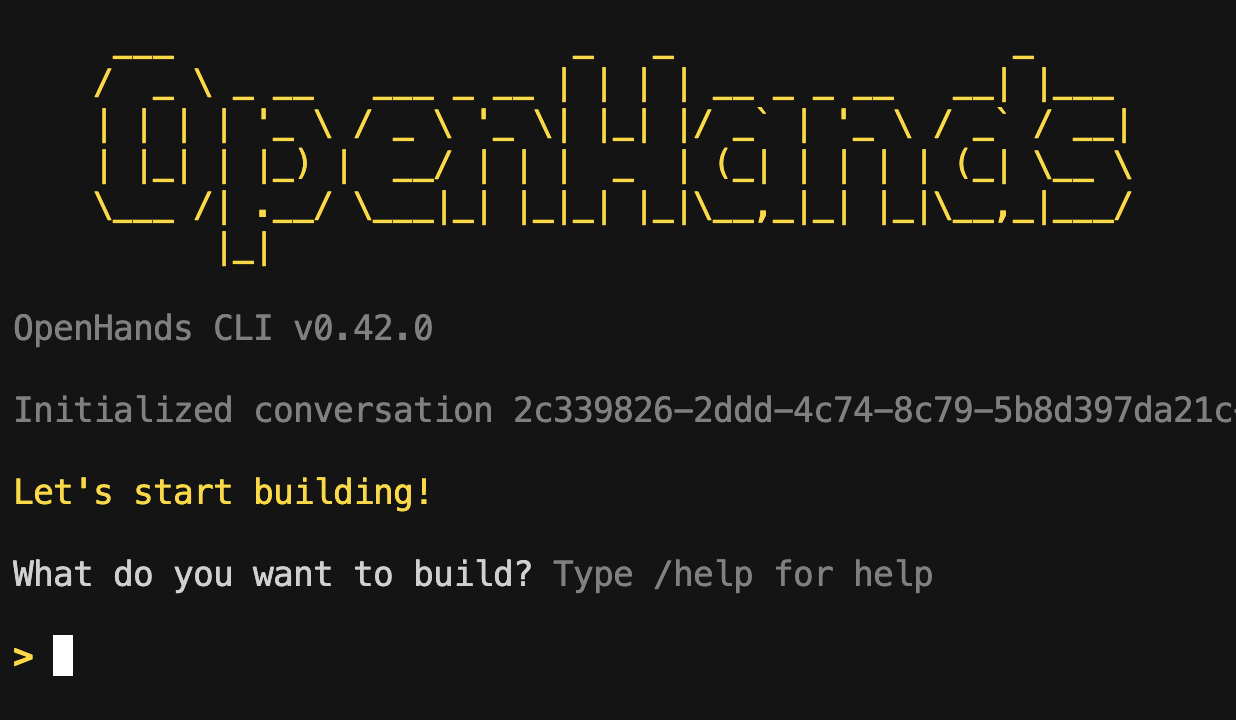
Today we're announcing the OpenHands CLI, a new way to use software development agents directly from your terminal.
Getting started is easy (with Python 3.12 or 3.13):
pip install openhands-ai
openhands
Or if you prefer not to manage your own Python environment, you can use uvx:
uvx --python 3.12 --from openhands-ai openhands
That's it, no need for Docker, no need for a web interface, and you can immediately access OpenHands' top-performing coding agents. And unlike other options, it's fully open source, with no model lock-in.
No need to wait for us, go ahead and get started! (or read on for more details)
Why a CLI?
OpenHands has been around for a while, and there are several convenient ways to use it:
-
GUI: This gives good visibility into agents' work, and is easy to use through the OpenHands Cloud and local web interface.
-
GitHub/GitLab Resolver: The Cloud GitHub Resolver and GitLab Integration allow you to call OpenHands by adding a
@openhandscomment to your code. -
API: The OpenHands Cloud API allows for programmatic access.
But we've also heard from developers who prefer to work directly in their terminal, or found the installation process for the GUI too cumbersome. The CLI delivers:
-
Easy install: In contrast to the GUI, installation is easy and no Docker is required -- commands are run directly in your dev environment.
-
Native terminal experience: Work where you're already comfortable, including on remote servers or in your IDE.
-
Convenient commands and features: Use slash commands to get started with common tasks, and increase safety with confirmation mode.
-
Full performance: Same strong performance as agents in the GUI.
What can you do with it?
If you want some examples of things to get started with, you can ask it to:
-
Add a new feature:
add a user data validation function to user_data.py -
Fix a bug:
do RCA on the bug causing new users to be unable to login -
Add tests:
increase test coverage of the mapping service -
Refactor code:
refactor the process_user_data function to be more readable -
Document code:
document the database schema -
Explain code:
explain to me how the location service works
Features
The CLI includes several convenient features.
Slash commands:
The CLI has a number of commands that make it easy to navigate around.
For instancce, one of our favorites: the /init command to initialize repository exploration and create project documentation to help agents understand your project.
Confirmation mode: For security, the CLI includes a confirmation mode that prompts before executing potentially sensitive operations.
Model agnostic: OpenHands is model agnostic, so you can use it with any LLM provider, especially those on our recommended models list. This includes both cloud-based models like Claude (4 sonnet provides the best performance at the moment) and local models like Devstral.
Open source: The CLI is fully open source, included in the MIT-licensed OpenHands repository. It's available for you to build with or build on.
Top-performing agents: OpenHands is one of the top-performing agents in the world (e.g. on SWE-Bench Verified), and the CLI uses the same agents that are supported via any of the other modalities.
Join the community
If that entices you, just pip install openhands-ai and openhands to get started!
As always, we love to have people join our community to give feedback or send in pull requests.
Join the community: on Slack, Discord, or GitHub Issues


Get useful insights in our blog
Insights and updates from the OpenHands team
Sign up for our newsletter for updates, events, and community insights.
OpenHands is the foundation for secure, transparent, model-agnostic coding agents - empowering every software team to build faster with full control.



